Showing posts with label recording. Show all posts

Tuesday, 16 December 2008

Recording the Beatles


mixonline reports about a panel discussion which took place in the States the other day in which the authors of the book Recording the Beatles discussed their research for their book. They were joined by an engineer from Abbey Road who worked with the beatles and George Martin.
"While a great many entertaining stories were told, there were also solid audio engineering tips for the audience to apply to their own work. Most practical was when Ryan played back audio examples of the before-and-after of George Martin’s famed half-speed recording techniques on songs such as “In My Life” and “Being for the Benefit of Mr. Kite.” He observed that although this process is still available to engineer/producers today, it remains underused, serving as a solid reminder that we can still channel the recording wisdom of The Beatles as we work within our DAWs."
.
There is a video available of the session.

Wednesday, 3 December 2008

EQ tips


audiotuts has little tutorial giving some tips to help you with the EQ-ing of tracks and mixes.
There's nothing new here, but EQ-ing can be a hard thing to get right and it takes a lot of practice to be able to quickly achieve the desired result.

The most important tip they give is:
"Don't fix it in the mix"

Monday, 17 November 2008

spring reverb


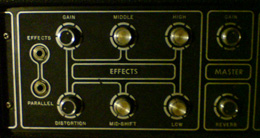
audio cookbook has posted a short sample of an experiment they conducted using just an old amplifier with a built in spring reverb.
All they did was turn up the gain and knock the amp about a little bit.

It produces some pretty cool 'industrial' sounds that could be used as sound effects in a number of different projects - but would sound good in a sound for film project.
Obviously if you're using a borrowed amp then be a little careful about how much you bang it about.

click to hear the mp3

Sharing audio files across different DAW's


Electronic Musician has an article describing how to ensure that you can confidently share audio files on different DAW systems when working on a project collaboratively.
The article focuses on using Digital Performer to import the files, but the principles are the same for any DAW - you just need to find the correct menu/commands.

Basically, you have 2 main options.
1. you can create files which all start at 00:00:00 even if there's no audio all the way through using some form of "merge" command (DP parlance).
2. you can record your files using a format like Broadcast Wave which automatically timestamps your files with their start and end points. when these are imported into your DAW you can then simply instruct the software to align the files with their correct start times.

Tuesday, 28 October 2008

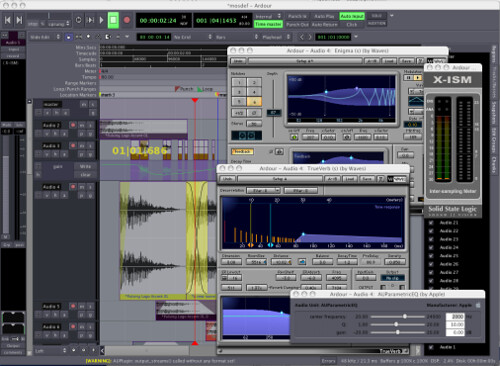
Ardour - free DAW


If you're running a Mac (or Linux) and are after a free DAW then Ardour may be well a good choice.
"Ardour is a digital audio workstation. You can use it to record, edit and mix multi-track audio. You can produce your own CDs, mix video soundtracks, or just experiment with new ideas about music and sound.

Ardour capabilities include: multichannel recording, non-destructive editing with unlimited undo/redo, full automation support, a powerful mixer, unlimited tracks/busses/plugins, timecode synchronization, and hardware control from surfaces like the Mackie Control Universal. If you've been looking for a tool similar to ProTools, Nuendo, Pyramix, or Sequoia, you might have found it.

Above all, Ardour strives to meet the needs of professional users. This means implementing all the "hard stuff" that other DAWs ( even some leading commercial apps ) handle incorrectly or not at all. Ardour has a completely flexible "anything to anywhere" routing system, and will allow as many physical I/O ports as your system allows. Ardour supports a wide range of audio-for-video features such as video-synced playback and pullup/pulldown sample rates. You will also find powerful features such as "persistent undo", multi-language support, and destructive track punching modes that aren't available on other platforms."

Thursday, 23 October 2008

Tour round Toerag Studios

Sonic State has a video interview (one in a series of many, apparently) with Liam Watson, the owner of Toerag Studios.
Toerag Studios is a fully analogue (using mostly vintage gear) recording studio based in London, his only concession to the 'modern age' is a couple of CD recorders so that he can create mixdowns that people can listen to "in the real world".


edit:
part two of this series is now available. Liam Watson talks about some more of his equipment (desk, speakers, etc..) and also a bit about the recording of the WHite Stripes album...

Wednesday, 10 September 2008

vocal processing


audiotuts have put together a little tutorial on processing vocal recordings in order to improve their sound.
The article takes you through the use of gates, EQ, reverb, delay, de-essers, pitch correction, compression and groups.

It doesn't really tell you anything new, but its a well written and concise tutorial with good audio examples

Wednesday, 20 August 2008

stereo mic techniques


audiotuts has put together a concise round-up of some of the most commonly used stereo mic techniques.
There are nice little diagrams to help you set up your mics.

Monday, 18 August 2008


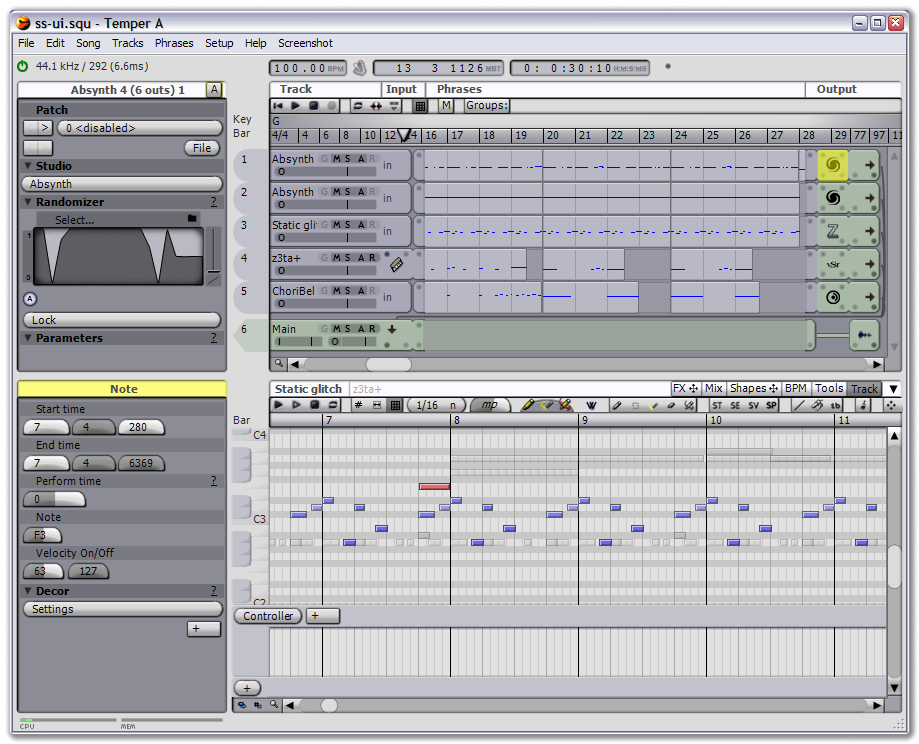
If you're looking to do some music making, but can't afford one of the "industry-standard" DAWs you might want to have a look at temper which according to the website is:
a MIDI+Audio sequencer with an emphasis on MIDI. Temper provides a straight-forward user interface that quickly guides you into advanced group operations and unique functionality such as decor and perform time, all tied together with an underlying shape concept for describing data transformation. Easily integrate Temper with your other software via basic drag-and-drop behaviour, more advanced sync functionality, or seamlessly as a VST.

It looks to have all the right features...

Thursday, 24 July 2008

Computer Music Tutorials


Computer Music has provided a bunch of their beginners guides.
There's stuff on synthesis, recordings, FX and various software packages.

Wednesday, 9 July 2008

Homemade parabolic microphone

Make has an excellent video tutorial on how to make your own parabolic microphone on the cheap using an umbrella.
It looks pretty simple, and seems to work fairly effectively.

This would be a useful addition to any field recording kit.


Umbrella Parabolic Microphone - video powered by Metacafe