Showing posts with label software. Show all posts

Monday, 1 December 2008

another free DAW


mu.lab is a free cross platform DAW. It's not exactly packed full of features, but it looks pretty easy to use and allows you to host VST's so could be used as a basic audio editing package.
" MU.LAB is an alternative, state of the art software application for OSX and Windows, transforming your computer into a real music studio!

It does not overwhelm you with a complex feature set, in which you can get lost.

On the contrary, MU.LAB is a user-friendly yet rock-solid musical tool designed to create, finetune and play Your Music!

MU.LAB's core feature set:

* Audio Recording & Playback
* MIDI Recording & Playback
* Flexible Composition & Sequence Editing
* Supports Audio and MIDI VST Plugins
* Powerful Audio and MIDI Plugin Routing (up to 100% modular if you want)
* Integrated high quality synths, samplers and effects
* High quality Audio Engine
* Sample Accurate Sequencing
* Available for OSX (Universal Binary) and Windows"

Monday, 17 November 2008

Sharing audio files across different DAW's


Electronic Musician has an article describing how to ensure that you can confidently share audio files on different DAW systems when working on a project collaboratively.
The article focuses on using Digital Performer to import the files, but the principles are the same for any DAW - you just need to find the correct menu/commands.

Basically, you have 2 main options.
1. you can create files which all start at 00:00:00 even if there's no audio all the way through using some form of "merge" command (DP parlance).
2. you can record your files using a format like Broadcast Wave which automatically timestamps your files with their start and end points. when these are imported into your DAW you can then simply instruct the software to align the files with their correct start times.

Wednesday, 29 October 2008

Audio Analysis Creates Landscape

flight404 have a very nice example of what can be done in real-time within Processing in terms of audio analysis and graphcial creation.
The audio signal is analysed and the resulting FFT data is manipulated to make it a bit more manageable and then used to create graphics that resemble a landscape scene - all done in real-time.

Audio-generated landscape from flight404 on Vimeo.

Tuesday, 28 October 2008

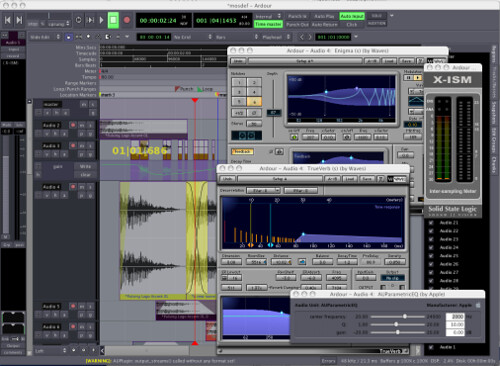
Ardour - free DAW


If you're running a Mac (or Linux) and are after a free DAW then Ardour may be well a good choice.
"Ardour is a digital audio workstation. You can use it to record, edit and mix multi-track audio. You can produce your own CDs, mix video soundtracks, or just experiment with new ideas about music and sound.

Ardour capabilities include: multichannel recording, non-destructive editing with unlimited undo/redo, full automation support, a powerful mixer, unlimited tracks/busses/plugins, timecode synchronization, and hardware control from surfaces like the Mackie Control Universal. If you've been looking for a tool similar to ProTools, Nuendo, Pyramix, or Sequoia, you might have found it.

Above all, Ardour strives to meet the needs of professional users. This means implementing all the "hard stuff" that other DAWs ( even some leading commercial apps ) handle incorrectly or not at all. Ardour has a completely flexible "anything to anywhere" routing system, and will allow as many physical I/O ports as your system allows. Ardour supports a wide range of audio-for-video features such as video-synced playback and pullup/pulldown sample rates. You will also find powerful features such as "persistent undo", multi-language support, and destructive track punching modes that aren't available on other platforms."

Friday, 17 October 2008

RJDJ - music app for iphone


Got an iphone? Get RJDJ!
RJDJ is an app for the iphone that generates original interactive music/sounds based on sensory input from the microphone, camera and accelerometers of the iphone.
The software for RJDJ is written in pd, the open-source alternative to MaxMSP.
"Instead of just evolving and allowing inputs, it makes use of the iPhone microphone and sensors to respond to your environment. Not only does the music change, but it changes because of where you are and what you’re doing. The creators describe the effect:

The world around you will sound different or suddenly become part of a song. Some scenes sound best in certain situations like walking through the city, being alone, or making music with your friends. You can also record your mind twisting hearing sensations and listen to them later just like a normal music title.

RjDj affects the perception of your reality. It is the soundtrack to your life."

via create digital music

Some video demos of RJDJ in action:


The "single' version of RJDJ is free, but only comes with one "scene" (a scene is essentially a patch that produces sound in a particular style), while the "album" version which comes with multiple scenes is $2.99 (at the time of writing).
As the app uses pd as its audio engine it is possible to create your own "scenes" and load them into RJDJ in order to create your own unique auditory experience.

Monday, 13 October 2008

Rough Rider - free compressor plugin


Audio Damage (makers of very nice-looking and nice-sounding plugins) have made their Rough Rider compressor plugin freely available.

Its not an amazingly complicated piece of kit, but it's functional and should sound pretty good.
"Rough Rider is a modern compressor with a bit of "vintage" style bite and a uniquely warm sound. Perfect for adding compression effects to your drum buss, it also sounds great with synth bass, clean guitar, and backing vocals. Definitely not an all-purpose compressor, Rough Rider is at its best when used to add pump to rhythmic tracks. Of course, you can use it however you'd like. The Compressor Police aren't gonna come to your house and give you a citation. Slap it on a track and crank some knobs.

The front panel layout is done the same as many hardware compressors, so it will be immediately obvious how to use it. A brief overview of the controls:

Ratio: The ratio knob is logarithmic in operation. Completely anti-clockwise is 1:1, and completely clockwise is 1:1000. The 12 o'clock position is 1:10, so everything to the left of center is single digits, and everything to the right is "atom bomb squish," essentially.

Attack and Release: We left off the actual time values, so you're gonna have to use your ears, like the he-men did it in times of myth.

Meter: That honking big dial in the middle of the UI is the gain reduction meter. It basically shows how much compression is occurring.

Sensitivity: usually called "threshold" now, but we think "sensitivity" always made more sense. Turn to the right, you get more compression, essentially. Turn it all the way to the right, and you've got a distortion box, the sound of which is tuned by Ratio, Attack, and Release.

Makeup: 30 dB of gain to compensate for the attenuation caused by the compressor.

Active: From the front panel, this is simply an off/on switch, but if you automate it, strange things happen...

MIDI Learn: Like all of our products, the VST version has MIDI Learn. Download any manual from the current product line for an explanation of how this works, as it is common among all our VST products.

Rough Rider is available as a VST effect for Windows, and an AU or VST for OSX. The OSX versions are Universal Binaries, and require OSX
10.4.0 or later.
"

Friday, 10 October 2008

GBridge - File sharing app


gbridge is a free windows app that allows you to remotely share files between computers as well as providing back-up facilities.
All you need is a google account to get it working.

Could be very useful for sharing files between group members when working on projects.

Tuesday, 7 October 2008

Wiggio - Collaborative Tool


Wiggio is a free online app that aims to help you work collaboratively.

It has a pretty simple interface with 6 main tools:
1. Calendar — A fairly simple shared calendar that allows you to manage group events. There’s no easy way to add this calendar to whatever time management system you use, but you can set up an automatic email whenever a change is made to the calendar (or any other part of your group). Gmail seems to be able translate those emails into Google Calendar events without an issue.
2. Folder — You can upload most file types to your Wiggio groups. Wiggio can even handle version-tracking automatically. A group member can download the file, change it and re-upload it. He doesn’t need to change the file name or anything for Wiggio to recognize it as a new version. Old versions are still available.
3. Meeting — Wiggio offers two types of meetings for users: a chatroom and a conference call. For conference calls, Wiggio uses Rondee, a free conference call service. Wiggio will also host chats for your group.
4. Poll — Not all collaboration applications offer any tools to help with decision making, but with Wiggio’s Poll system, you can matters to a vote in your group. You don’t even need to track responses to get an answer.
5. Messages — Through Wiggio, you can send messages to group members in three different ways: text message, email and voice note. You can also post notes on your group’s home page, but no guarantee that group members will log in and see them. I was a little concerned at first that the text message and voice mail options meant that the entire group would have access to my phone number, but all of that is handled internally.
6. Links — The link tool is simply a place to paste in links so that your group has a shared set of bookmarks.

"There is definintely an assumption for Wiggio that group members aren’t going to be sitting at their desks all day, every day. If you’ve had problems keeping touch with those members of your group that seem to prioritize their social lives over group meetings, being able to send them text message reminders may prove invaluable."


I think this tool could prove very useful - especially as it allows you to file share and send text reminders to group members mobiles - no excuses now!!

via lifehack

Friday, 3 October 2008

Fusion - Educational Discount


If you're a Mac user and are wanting to run any Windows only app (there are some that are worth it!) then you may want to look at Fusion by VMware.
Fusion is a virtualisation application which lets you run Windows (you may have to install a Boot Camp partition) directly from your Mac OS without having reboot into a Windows install.

VMware offer educational discounts for all their software and the price for Fusion works out at $40 which is equivalent to £22.50 (at the time or writing).

link

Check it out.

Friday, 5 September 2008

New ProTools blog


ProtoolsBlog is a relatively new blog devoted to ProTools. It is written by Scott Church who both an end user and a "software strategist" at digidesign.

He posts lots of tutorial videos on using the various features of protools and other interesting related articles.

If you use protools its definitely worth checking out!

Wednesday, 3 September 2008

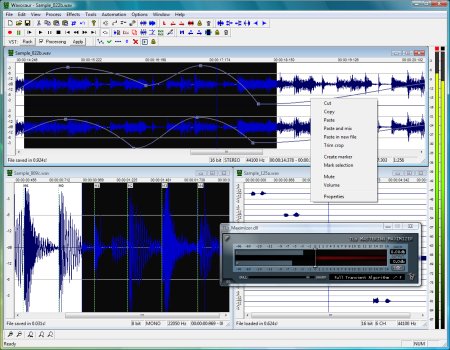
Free audio editor


If you're looking for a free audio editor you might want to have a look at wavosaur.
It supports .wav and .mp3 files, has analysis tools, batch processing and VST and ASIO support.
Best of all it doesn't require an installer so could be run from a memory stick!

Tuesday, 2 September 2008

free generative sequencer (mac only)


nodal is a free (for non-commercial use) app for developing generative musical systems and transmitting MIDI.
"Nodal is a generative software application for composing music. It uses a novel method for the notation and playing of MIDI based music. This method is based around the concept of a user-defined graph. The graph consists of nodes (musical events) and edges (connections between events). You interactively define the graph, which is then traversed by any number of players who play the musical events as they encounter them on the graph. The time taken to travel from one node to another is based on the length of the edges that connect the nodes."


As Nodal outputs MIDI data it would be interesting to use in conjunction with programs like MaxMSP or pd. You could also use it to control sequencers/DAWs either in the studio or out live.

The Nodal website has a binch of tutorials and examples for you to dig around in.

Thursday, 28 August 2008

free timeline app

If you need to make a timeline for any project (they are a good way to visualise the amount of work that you need to do and to help you with organising your time) then you may want to check out timetoast.

Timetoast is a free to use (you do have to sign up) website that allows you to create a flash based timeline. Your generated timeline can then be shared with others and even embedded in your own webpage. You can also embed url links into your timeline.

Its pretty easy to use; I knocked up the timeline below in a matter of minutes.

Moldover - controllerism

matrixsynth has a collection of youtube videos from Moldover discussing controllerism.

Moldover is a performance artist who uses custom modified MIDI controllers and audio software like Reaktor and Ableton Live to create his own music live.

In the videos he shows and discusses his approach to customising controllers, selecting and organising audio clips and performance concepts. His methods are all about keeping things as simple as possible in order to make his performances as smooth as possible.


Wednesday, 27 August 2008

Live Looper


Livid Instruments have released the Livid Looper, a freeware open source audio looping tool.
The Looper has been created in Max5 so it is possible to adapt and modify the original software to suit your exact needs.

taken from the website:
"Designed to emphasize simplicity and hands-on control, short loops of audio can be sliced, diced, scrambled, and transformed with built-in and VST effects. Gesture and Segment sequencers record synchronized loops of knob and button presses, locking effect changes to the loop. Quantized actions and automatic pitch shifting ensure all your loops stay in tempo. Interact directly with the waveform to sculpt your sound, or use the auto-segmenting feature to break it up into equal chunks. MIDI learn is available for any control, and simple knobs provide complete control over the sound of any loop.
Key Features
• Up to six files loaded in each looper for quick recall and playback
• Loop is automatically pitch shifted to match the BPM
• Automatic segmenting for slicing up a loop
• Interactive waveform display for arbitrary loop selections
• Assignable to crossfader
• Record live audio and instantly loop it
• Multiple audio effects, including a VST effect
• Granulator for scramble or time-shift effects
• Record up to 8 synced sequences of knob turns and effect changes
• Record up to 8 synced sequences of segment and file changes
• All actions are quantized to the master BPM
• Easy MIDI learn function
• Tight integration with Livid's Ohm controller
• Free of charge and open source (developed in Cycling 74's Max/MSP)"

Tuesday, 19 August 2008

Audio Restoration


electronic musician has put together an overview of the most common forms of noise and other forms of damage that can occur within a recording. The article, as well as describing the form of damage, also explains some of the theory behind the methods used to remove/fix it.

This is probably a useful read for anyone who has some less than perfect recordings but is unable to re-record and so needs to 'clean up' their recordings.


Following on from the above article EM has a related article here which looks at how to use audio restoration software correctly to get the best results.
Techniques covered:
Broadband Noise - Spoken word & Music
Hum
Pops, Clicks & Crackles
Distortion

The article goes into pretty reasonable depth and contains advice from 'professionals'.

Some of the key points:
* Always preview before applying destructive processes. Make sure you have a backup copy of the audio.
* If your software allows it, pop the AR processing in and out to compare it with the unprocessed audio.
* Don't rely strictly on automatic settings, especially in broadband-noise reducers. Experiment with the threshold and reduction sliders (or equivalents) as well as parameters like attack and release. If you start hearing artifacts, back off on the amount of the effect.
* Try to find as long a sample of noise for the “learn” function as you can. It will help with the accuracy of the settings.
* Use the “noise-only” monitoring feature to check the part of the audio being removed by the software.
* In heavy noise situations, consider a multiband expander or an EQ boost set to the frequency range of the target audio to help bring it out.
* If the audio contains rhythmic material, make sure the AR software isn't degrading the transient response.
* If you don't have declipping software, try de-essing in the area of 2 kHz (and higher) to minimize the distortion artifacts of clipped audio on spoken-word tracks.
* When editing out an anomaly from a file being used in a soundtrack situation, don't delete audio, or you'll change the timing. Eliminate it by reducing level instead.
* Don't edit out time when cleaning up a video soundtrack, or you'll likely affect the sync. Use attenuation to get rid of glitches instead.

Monday, 18 August 2008

Guitar processing in MaxMSP


There is the first in a series of articles over at cycling74 which take you through the creation of what the author calls a "guitar processor". The first artcile takes you through setting up the input and output stages and a compressor. Further articles will deal with distortion, EQ, delay and reverb.

Whilst the article is targetted towards guitarists there's nothing to stop you using the same (or slightly modified) patches to process any instrument (including vocals).


edit:
part 2 of this series is available here. The article takes you through the creation of an overdrive effect and a reasonable filter/EQ section.
The article also covers some of the strategies used in the programming and use of MaxMSP and the created modules.


edit:
part 3 is now available here. This addition takes you through the creation of a phaser effect, a modulating delay and also the organisation of the front panel.

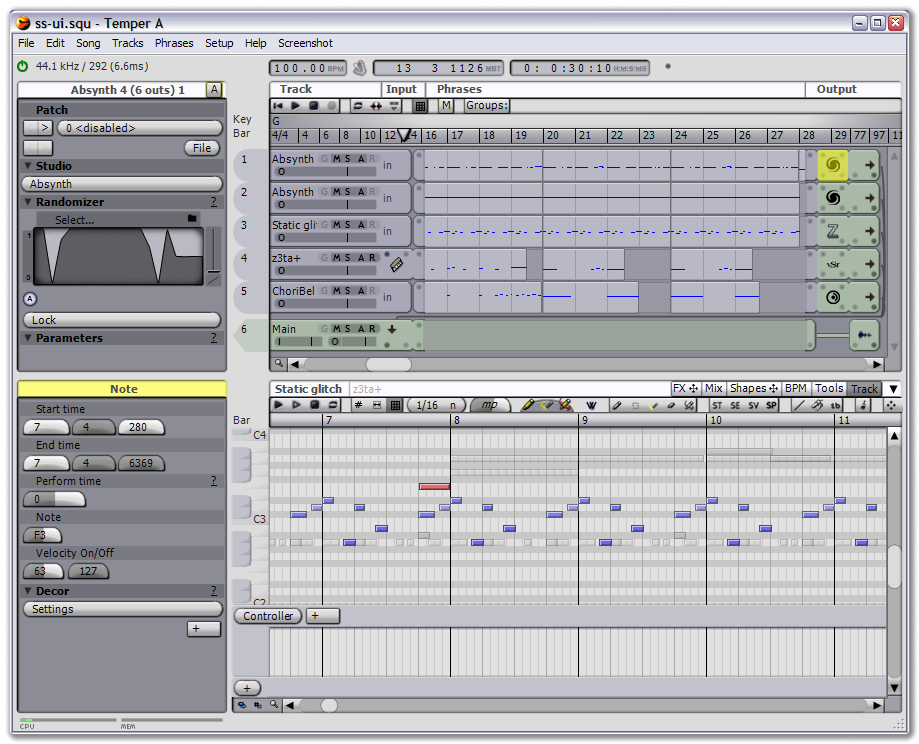
If you're looking to do some music making, but can't afford one of the "industry-standard" DAWs you might want to have a look at temper which according to the website is:
a MIDI+Audio sequencer with an emphasis on MIDI. Temper provides a straight-forward user interface that quickly guides you into advanced group operations and unique functionality such as decor and perform time, all tied together with an underlying shape concept for describing data transformation. Easily integrate Temper with your other software via basic drag-and-drop behaviour, more advanced sync functionality, or seamlessly as a VST.

It looks to have all the right features...

Wednesday, 23 July 2008

Sonic Visualiser


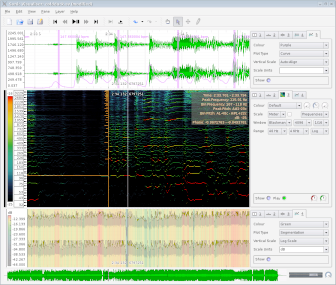
Sonic Visualiser is a free application that lets you analyse a recording in a variety of different ways.
"The aim of Sonic Visualiser is to be the first program you reach for when want to study a musical recording rather than simply listen to it.

As well as a number of features designed to make exploring audio data as revealing and fun as possible, Sonic Visualiser also has powerful annotation capabilities to help you to describe what you find, and the ability to run automated annotation and analysis plugins in the Vamp analysis plugin format – as well as applying standard audio effects.

We hope Sonic Visualiser will be of particular interest to musicologists, archivists, signal-processing researchers and anyone else looking for a friendly way to take a look at what lies inside the audio file."

Wednesday, 9 July 2008

Homebrew music apps for the DS


Remain Calm has a roundup of some of the homebrew music applications for the Nintendo DS.
Some of these look pretty interesting, especially as they're free.
Whenever I see things like this I'm always really tempted to get me a DS, especially as there's the new Korg DS10 app coming out soon, which is an emulation of the Korg MS10. Plus don't forget ElektroPlankton!